Can You Use Pinterest Images On Instagram? Yes, But…
If you’ve ever saved an image from Pinterest and posted it on Instagram, you’re definitely not alone. It’s one of the most common habits online, and at the same time, one of the most misunderstood.
So can you use Pinterest images on Instagram?
Yes. But not in the way most people think.
Can You Use Pinterest Images On Instagram
You can use images you find on Pinterest, but only if you treat Pinterest for what it actually is: a search engine, not a source.
Pinterest doesn’t own the images you see. It indexes them. That means when you find a photo there, you’re really just discovering where it originally comes from.
The problem is that most people stop at Pinterest. They download the image and post it, assuming it’s free to use.
That’s where things go wrong.
The Right Way To Use Pinterest Images
If you want to use an image you found on Pinterest legally, you need to trace it back to the original source.
That means clicking through, finding where the image actually lives, and checking if it’s licensed for use.
Sometimes that source will be a photographer’s website. Sometimes a stock platform. Sometimes a brand.
And sometimes, yes, it will be a free stock library like Kaboompics.
That’s the difference. Pinterest helps you find the image. The license comes from somewhere else.
Why Most People Get This Wrong
Pinterest is designed to feel like a collection of images you can browse and save. It looks like a library, so people treat it like one.
But once you move from saving to posting, you’re no longer collecting inspiration. You’re publishing someone else’s work.
And publishing without checking the source means you’re guessing about rights, ownership, and usage.
How To Find Legal Images On Pinterest Without Paying
Here’s the practical way to do it. Treat Pinterest like a search engine.
Type something like “free stock photos” into Pinterest search, then switch the filter to Boards. You’ll start seeing boards created by users and profiles of stock libraries that curate and share their images. You can also start directly here: Pinterest boards search.
Browse those boards and explore the pins, but don’t download images directly from Pinterest. Always click through to the original source linked in the pin and make sure the image is actually free to use. That’s where the license lives, not on Pinterest.
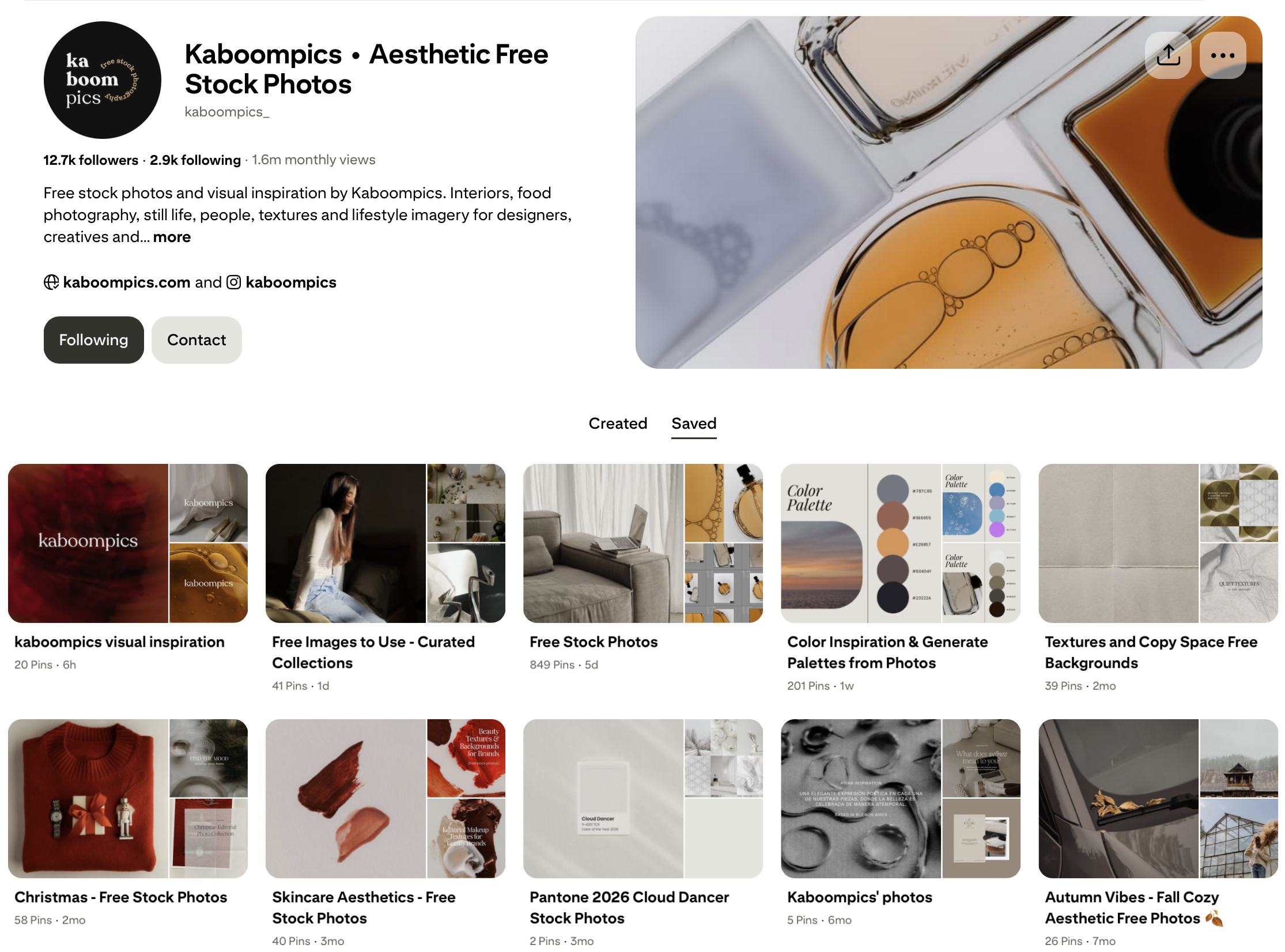
Many stock platforms have their own Pinterest profiles and regularly post their photos there, so you can follow them and use Pinterest as a discovery layer. We do the same at Kaboompics with themed boards and curated collections on our Pinterest profile, so you can browse, find what you like, and then go back to the source where the images are properly licensed.
A Quick Note On Risks
If you want a deeper look at what can go wrong when using Pinterest images the wrong way, we’ve covered it in detail in this article about the hidden risks of using Pinterest images. This guide focuses on how to do it right, but it’s worth understanding the other side too, especially if you’re using images in a commercial context.
Final Thoughts
Pinterest is an incredible tool, just not in the way most people use it. It’s not a source of images, it’s a way to find them.
If you treat it like a search engine and always go back to the original source, you can use it safely and effectively. If you don’t, you’re just guessing.
And when you’re building something that matters, guessing is not a great strategy.
How To Find Stock Photos With An Editorial Aesthetic
Many designers, bloggers, and marketers say they want stock photos that look “editorial.” The phrase shows up in briefs, emails, and conversations all the time. It sounds very clear, but when you actually try to define it, things get a
Can You Use AI Images Commercially In 2026? What You Need To Know
Short answer: yes, but not in the way most people assume. The conversation around AI images hasn’t flipped upside down since 2025, but it has matured. The hype faded a bit and what’s left is more concrete: clearer legal signals,
Summer Aesthetic Photos – Curated Picks You Can Download for Free
Summer always brings a burst of energy, color, and a certain lightness that we love capturing in photos. But when it comes to choosing images for summer projects, it doesn’t have to be just beaches, palm trees, or shots tagged